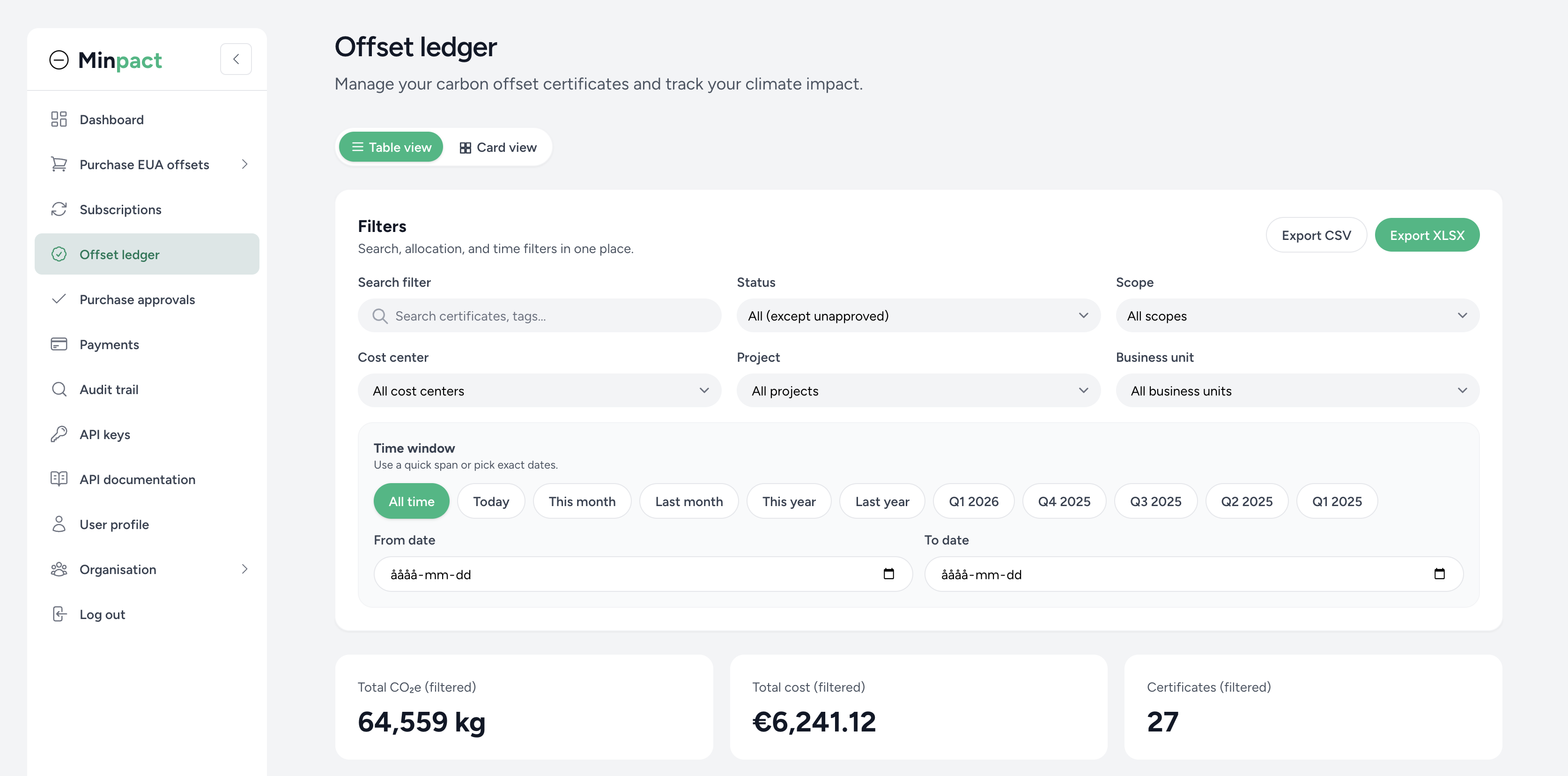
A practical way to track purchases, certificates, and allocations in one place.
The Minpact offset ledger is designed to give sustainability and finance teams a shared, consistent view of what has been purchased, what has been approved, and what has been completed with certificates.
Once you are signed in, the offset ledger brings your organisation’s activity together in one place. Depending on your role, you can view certificates, payment status, allocations, and approval history.
The offset ledger is designed for day-to-day work, not just end-of-quarter reporting. Use search and filters to narrow down the list to the certificates that matter right now—and let Minpact calculate totals and price signals for the same selection.
When you need to share numbers with controllers, auditors, or internal reporting tools, you can export the current view. Exports follow the same filters you applied, so your spreadsheets match what you see on screen.
Minpact can turn your filtered selection into a quick portfolio view: totals, allocation highlights, and charts that help you understand where impact and spend are concentrated. You can also download charts for presentations and internal updates.
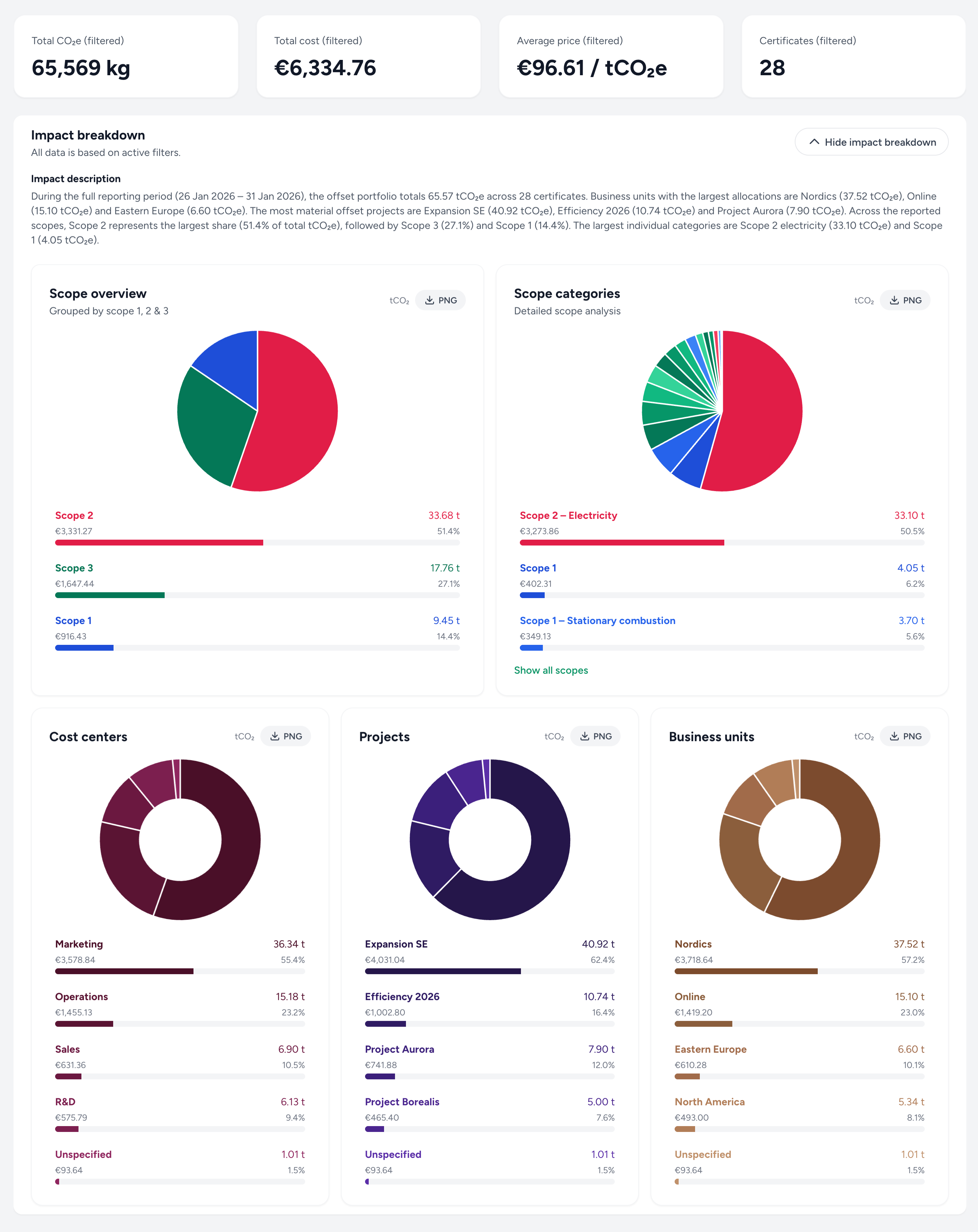
The offset ledger is also where you keep records tidy over time. Depending on your role, you can update allocation fields and metadata on a certificate (for example cost center, project code, business unit, tags, and comments) so reporting stays consistent. Finance users can also use the ledger to follow payment status and handle pending invoice payments where available.
For each certificate, you can open an audit trail that shows a time-stamped history of key events and changes. This makes it easier to answer “what changed, who changed it, and why” during reviews—without relying on manual spreadsheets.
If you are new to Minpact, start with the dashboard and follow the links that match your workflow:
These pages require an account and the right permissions. If you do not have access to a page, ask your organisation admin to update your role.
Create an account, sign in, and open the Minpact dashboard to see your organisation’s purchases and certificates.
 Min
Min