Create keys for development and production, then test endpoints in the interactive docs.
Minpact can be integrated into your internal tooling—finance workflows, reporting pipelines, or procurement systems—using API keys and the API documentation. The API supports both pricing and offset flows, with allocation fields you can store alongside each certificate.
API access is permission-gated. If you cannot access the API key manager, reach out to Minpact support or your organisation admin to enable API access and assign the right role permissions.
In the API keys page, create a key and choose an environment: development for safe testing, or production for live offset orders and certificates.
For security, the full key is only shown once at creation. Store it in your secret manager or secure vault, and avoid putting keys into client-side code.
Open the API documentation to browse endpoints and use the interactive tester. The tester requires the full API key (not a masked preview) and lets you send requests with your own parameters.
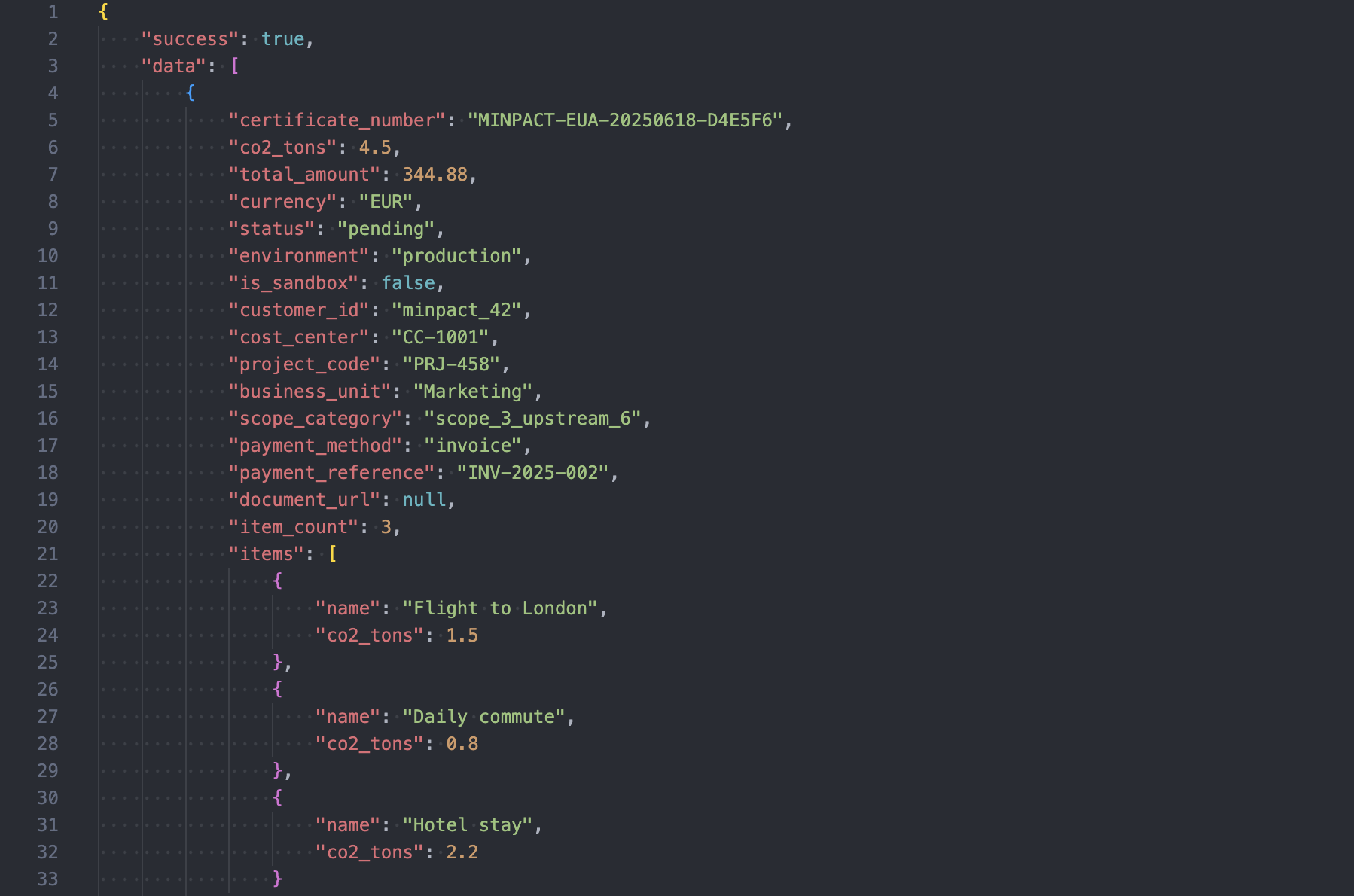
The documentation groups endpoints into pricing and offsets, for example: get pricing signals, create offset orders, list certificates, and fetch a specific certificate by its certificate number.
You may be asked to sign in to access these pages.
When creating offsets via the API, you can optionally include allocation fields so certificates match your internal structure. Common fields include cost center, project code, business unit, and scope category.
Treat API keys like passwords. Use one key per application or integration, and deactivate keys you no longer use. If you suspect a key is exposed, rotate it as quickly as possible.
API-created certificates and allocation updates show up in the audit trail, giving climate and finance teams a shared history they can review during approvals and reporting cycles.
 Min
Min